Automated Video Editing
Short-form video is the highest-ROI content format for most creators, but the production overhead keeps output low. This web application removes the mechanical work entirely: a creator provides a topic or raw footage, and the system handles scripting, editing logic, captioning, and export. Two modes, one tool, zero editing overhead.
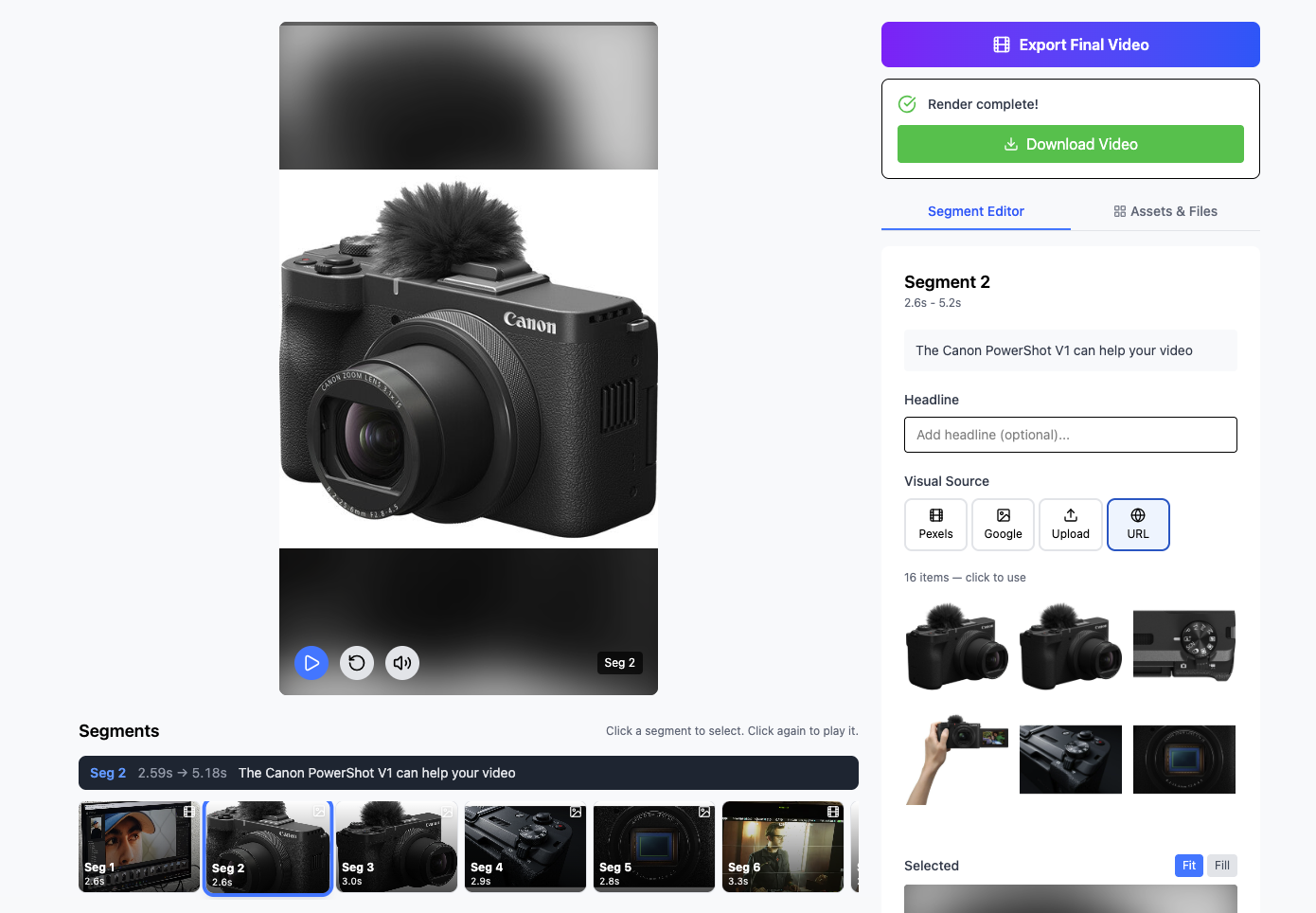
The Problem with Short-Form Production
Short-form video looks simple from the outside: 60-second clips, casual formats, no Hollywood production needed. But volume is the game. Consistent creators publish daily. Each video still requires writing a hook, timing cuts, adding captions, selecting background music, and exporting in the right format. Multiply that by 30 videos per month and you have a significant ongoing workload that crowds out creative work.
The brief was to build a tool that handles all of this quickly, without requiring the user to understand video editing.
Two Production Modes
The key design insight was that short-form creators fall into two camps: those who appear on camera (filmmaker mode) and those who produce faceless content using stock footage, AI visuals, or screen recordings. Each mode has different inputs and different production logic.
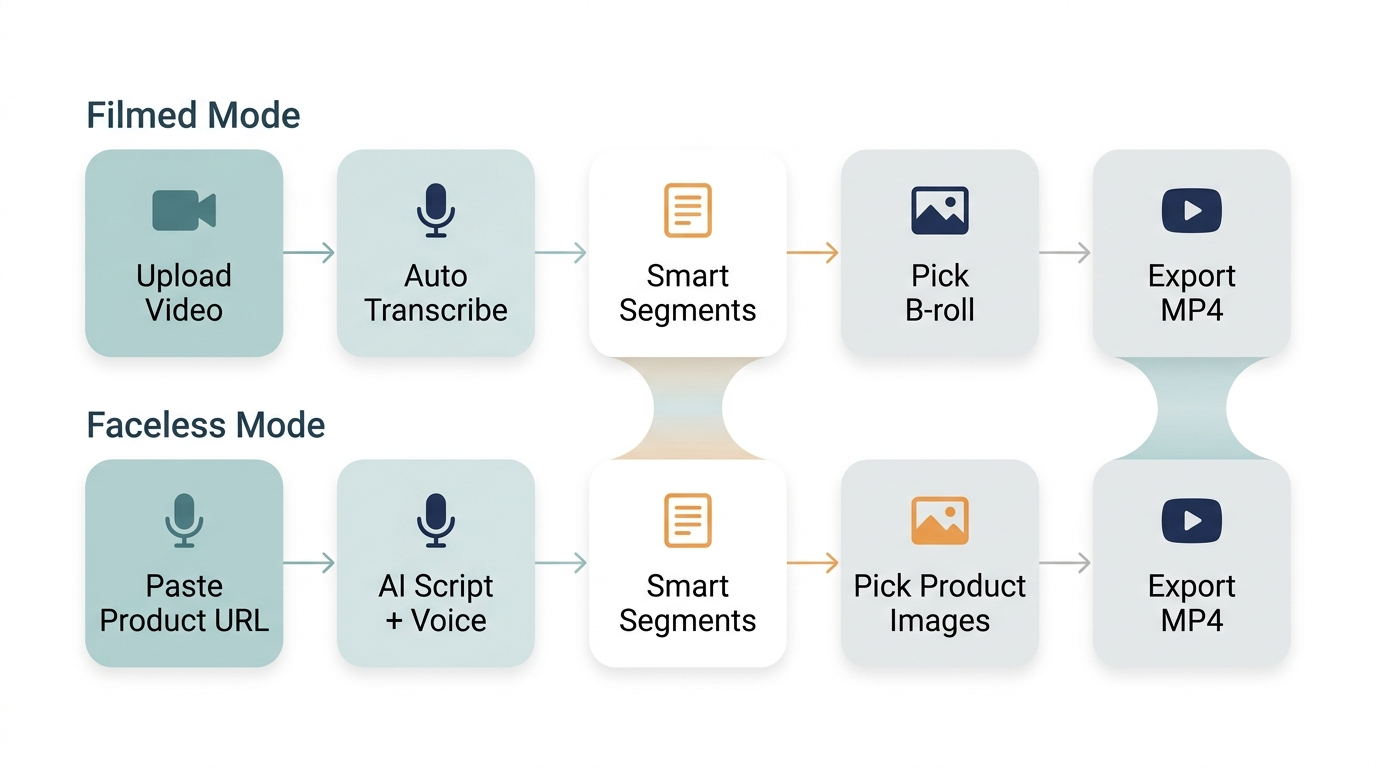
Filmmaker and faceless workflows, both ending at a ready-to-upload short, starting from very different inputs.
Filmmaker Mode accepts raw recorded footage. The system analyzes the content, identifies the most compelling 45–60 second segment, adds captions with style presets, applies pacing adjustments, and outputs a formatted short. The creator films, and the tool does the rest.
Faceless Mode works from a topic or script prompt. The system generates a script, sources or generates visual content (stock footage, AI imagery, or screen capture), assembles the video with voiceover and captions, and exports a complete short. No camera required.
How It Stacks Up
The platform was benchmarked against manual editing and existing tools on the key dimensions that matter to creators: time per video, technical skill required, and consistency at volume.
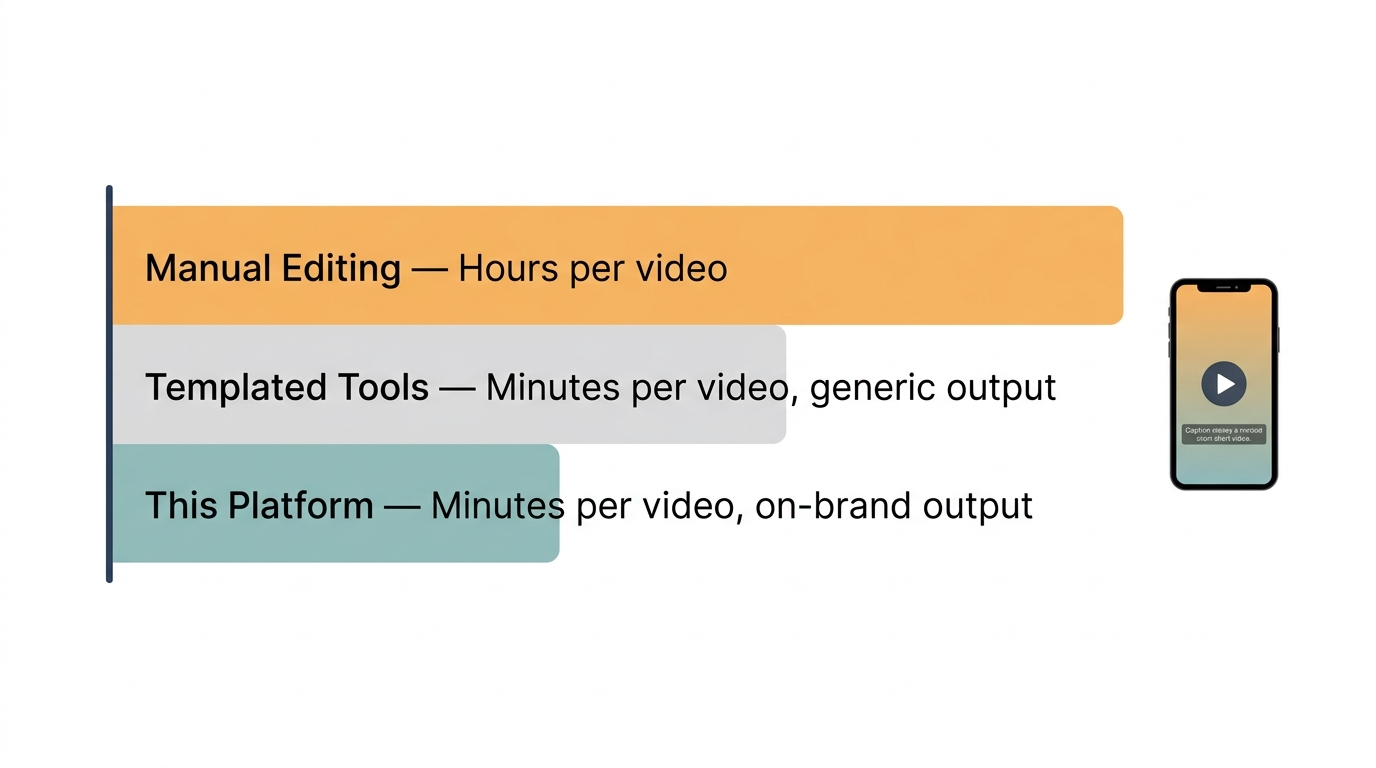
Side-by-side comparison: this platform vs manual editing vs other automation tools across time, skill, and output quality.
The User Experience
The interface was deliberately designed for non-technical users. No timeline editors, no layer panels, no export settings to configure. The workflow is: pick a mode, provide your input, choose a style, generate. The application handles every technical decision, including aspect ratio, codec, caption font, and audio normalization, behind the scenes.
This is the correct approach for AI-powered creative tools: hide the complexity, expose the creative decisions. Let the user be a director, not an editor.
Outcomes
- Video production time reduced from 1–2 hours per short to under 5 minutes end-to-end
- Both modes fully operational: filmmaker (footage-in, short-out) and faceless (topic-in, short-out)
- Non-technical users able to produce publication-ready shorts without onboarding or training
- Clean, minimal UI with no video editing knowledge required
- Export in platform-native formats for YouTube Shorts, Instagram Reels, and TikTok
Applying This Pattern
The design principle here: wrap complex technical workflows in an opinionated, simple interface, applies broadly. Any domain where experts spend time on mechanical execution rather than creative or strategic judgment is a candidate for this kind of tool. Legal document drafting, financial report generation, marketing asset production. The pattern is the same: identify the mechanical steps, automate them, surface only the decisions that need a human.
Want to build a tool like this for your industry? Explore AI Innovation Services →